
- Home >
- Choose Your Printer>
- Printers by category>
- A4 printers>
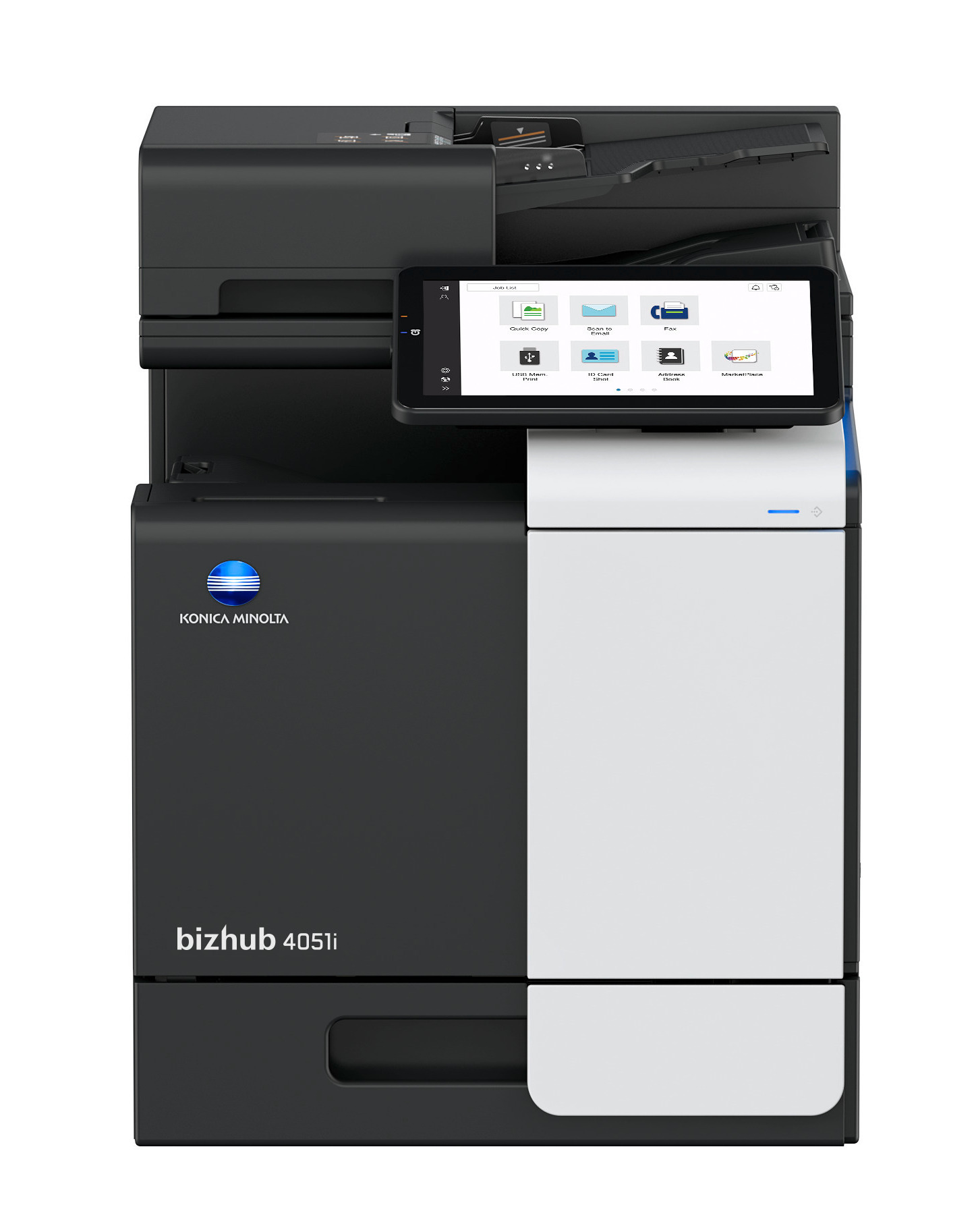
- bizhub 4051i A4 Black and White Multifunction Laser Printer
bizhub 4051i A4 Black and White Multifunction Laser Printer
.jpg)


Do you need advice?

bizhub 4051i
The bizhub 4051i is a high-performance A4 black & white multifunction device that combines speed, security and simplicity. Delivering up to 40 pages per minute, it's ideal for departments and small to medium-sized businesses that need quick, dependable black-and-white output. The large 10.1-inch touchscreen offers a clean, tablet-like interface so everyday jobs feel effortless.
Built-in security helps protect documents and devices, including secure authentication. Mobile and cloud printing keep teams productive from any device, while duplex printing and efficient power management lower consumption and costs. With generous paper capacity, the 4051i keeps workflows moving even at peak times.
Key Features:
- A6-A4 Formats
- 40 ppm black & white output
- Print, copy, scan
- 10.1-inch tablet-style touchscreen
- Wifi connectivity
- User authentication
- Mobile and cloud printing
- Automatic duplex printing
- Energy-efficient operation
- Scan as much as you need with OneRate - scanning never counts towards your print usage.
Why choose bizhub 4051i?
A compact, capable multi format black and white MFP that blends productivity with strong security and low running costs. Ideal for offices that need reliable, easy-to-use functionality and professional-looking output without outsourcing.

Enjoy a complete, hassle-free printing solution designed to keep your business running without interruptions.
With OneRate, everything is included in one simple monthly payment:
✔ Printer and toner supply
✔ Generous monthly black & white and colour page allowance*
✔ Installation and setup
✔ Smart remote support
✔ Maintenance, servicing and parts
✔ Automatic toner delivery
✔ Flexible packages to suit your usage
No hidden costs. No unexpected charges. No admin work.
Just reliable printing, fully taken care of.
*If you exceed your monthly page allowance, additional pages are charged at a clear, pre-agreed rate - cost per additional page: 0.0078 GBP for black and white.
What is in the box?
- Main unit
- 1.5m power cord
- Black Toner 20,000 A4 pages*
- General Safety Information, english
| Delivery | |
| Free printer delivery to final location | Included |
| Installation service | |
| Printer remote installation and activation | Included |
| Installation of driver on one PC/server, notebook and other device | Included |
| User Training | Included |
| Remote Monitoring | |
| Toner monitoring | Included |
| Automatic reporting of printed pages | Included |
| Supplies | |
| Toner delivered with device for first usage | Included |
| Automatic toner ordering and delivery (never run out of toner) | Included |
| Free paper, staples, glue, etc. | Excluded |
| Full Service | |
| Free ad-hoc repairs, and preventative maintenance (incl. call-out charges, labour, parts, etc.) | Included |
| Free drums and other spare parts (except supplies) | Included |
| Help & Support | |
| 24/7 smart remote support | Included |
| Customer Self-Service Portal | Included |
| Average response time in hours | Next business day |
| Secure & Sustainable | |
| World on Loan Programme (Recycling & Return Programme for consumables) | Included |
| Invoicing and payment | |
| Regular invoicing OneRate period | Included |
| Additional invoicing when you reached your prepaid limit | Included |

Need special configuration?
Technical parameters
What do our customers say about our OneRate packages?
We are happy to advise you!
Chat with us instantly
Mon-Fri 9am - 5pm
@w600.webp)
Not sure which print volume to select for your OneRate?
These might be valuable considerations for you.If you have an existing contract:
- Have a look at your current offer/contract to see which volume is included there (per month)
- Have a look at your latest invoice: on it might be written how much you print per month or for what volume you’re charged. Take into account any invoices for overage charges to calculate your monthly volume needs
- If there are no volumes in these documents, look at the amount you pay each month and add any amounts for overages and compare this with our packages. Take into account whether service is included or no
- Check your current printer if it shows you the number of printed pages
If you do not have an existing contract:
- Check your current printer if it shows you the number of printed pages
- We recommend to calculate how much pages you print per week and estimate from that prints per month: think of how often you have to refill paper in your printer (average paper pack has 500 sheets)
Still unsure? Please contact us. We are happy to support you.
OneRate Small
- Included: 400 prepaid black pages per month
- Cost per additional page: 0.0078 GBP (calculated and invoiced quarterly)
OneRate Medium
- Included: 1250 prepaid black pages per month
- Cost per additional page: 0.0078 GBP (calculated and invoiced quarterly)
OneRate Max
- Included: 2000 prepaid black pages per month
- Cost per additional page: 0.0078 GBP (calculated and invoiced quarterly)
Delivery
When leasing a Konica Minolta printing device with OneRate, we will ensure professional delivery of the purchased equipment directly to the installation site. The service includes pre-configuration, moving the machine to its destination, unpacking and assembly.
Included services
After purchasing the device, Konica Minolta will agree with you on a suitable delivery date. The contractual carrier will deliver the device to you on the agreed date.
The service includes:
- Transportation to the place of installation
- Moving device within the building - if the building has a freight lift
- Professional unpacking and assembly of the device
- bringing the machine to the floors via the stairs - if there is no goods lift available
Please note: Our delivery service covers mainland UK. Deliveries to the Scottish islands are provided through our authorised Konica Minolta partners.
Remote Installation Service
At Konica Minolta, we make getting started with your new device simple, secure, and hassle-free.
With our Remote Installation Service, our delivery team brings your machine, powers it on, and connects it to your network. From there, our remote technicians complete the full setup - so your device is ready to use without the need for an on-site engineer.
Why Choose Remote Installation?
• Fast - Setup can take as little as 10 minutes.
• Secure - Strong encryption ensures your data and access remain protected.
• Convenient - No need to arrange on-site visits or escorts.
• Sustainable - Helps reduce unnecessary travel in line with our ESG goals.
How to Prepare?
Before your delivery, we’ll contact you to confirm key technical details, such as:
• Device configuration settings (e.g. scan details, authentication)
• Network requirements (DHCP or Static IP)
• Operating system compatibility
• Auto-ordering preferences
• Any optional services or IT support needs
We recommend nominating someone from your IT team to provide this information. It only takes a few minutes, but without it we won’t be able to proceed with installation.
You’ll also need to:
• Provide space for our delivery crew to set up the device
• Ensure a working network point and cable are available
• Let your IT team know about the installation (e.g. drivers, open ports)
• Back up settings from your old device if needed (our team can support you remotely)
On the Day:
1. Our delivery specialists will unbox your device and connect it to your network.
2. Our remote technicians will then complete the setup.
3. You’ll receive delivery updates, an installation reminder, and may be contacted for assistance if needed.
Once finished, your Konica Minolta device will be fully set up and ready to use. Download our brochure.